Setting Up SlashClock
① Add SlashClock to your Slack workspace
You'll need admin permissions on the workspace you're installing it into.
SlashClock only asks for the minimum needed to post as the bot and read basic member info.
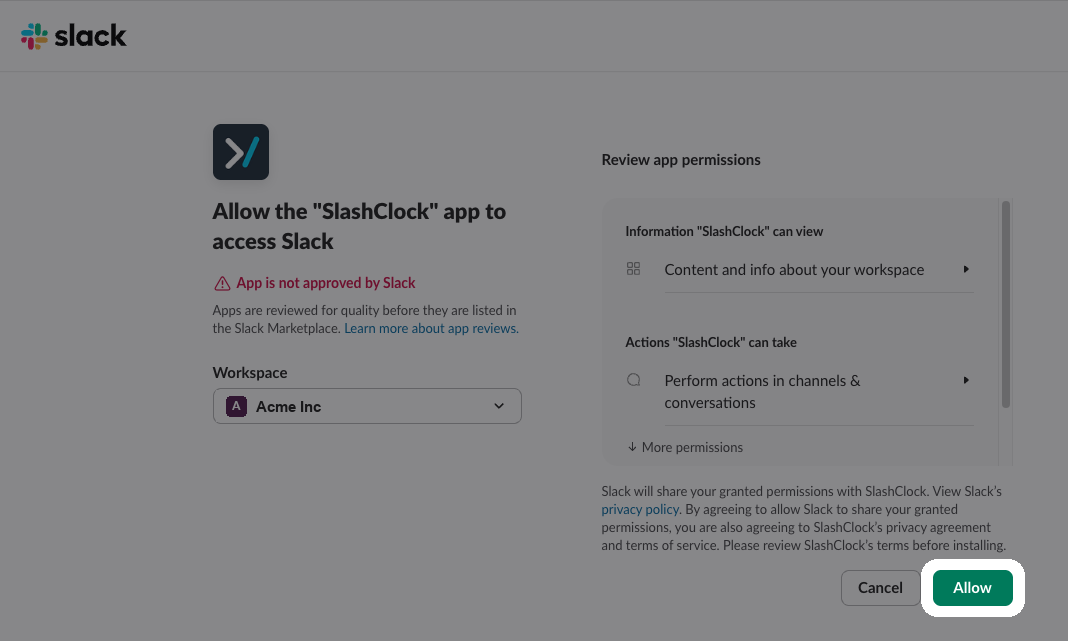
② Review the permissions and click Allow
Slack shows you exactly what it's requesting access to before you approve anything.
Once you click Allow, SlashClock is installed in your workspace.
③ Sign in with the Slack account you just used
There's no separate SlashClock password to create.
You log in with the same Slack account, and you're taken straight to your dashboard.
④ Invite your team members
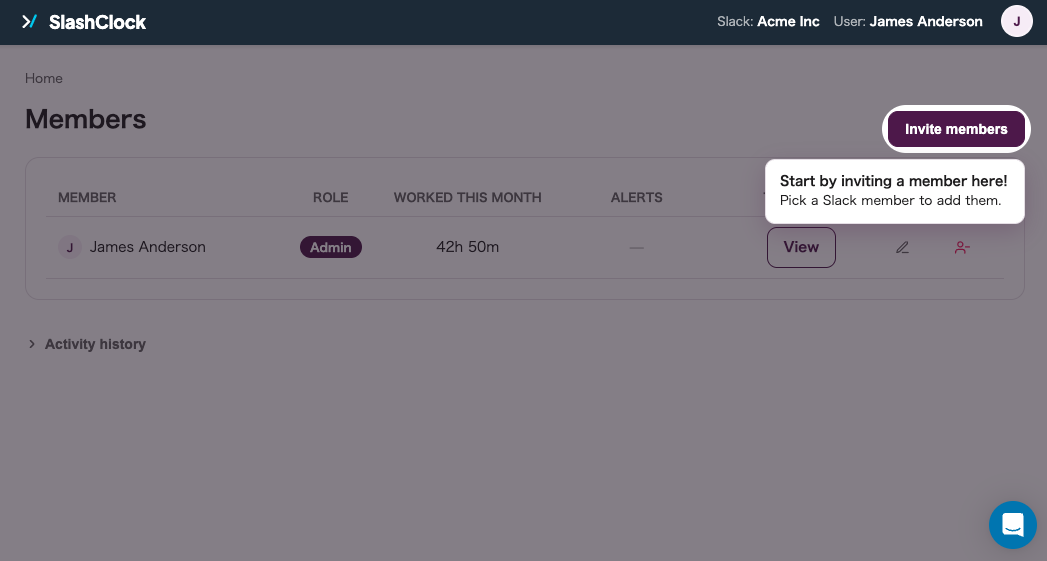
From "Invite members" in the dashboard, select people from your Slack workspace.
As soon as someone's added, they can start using the slash commands.
⑤ Use /clock-in and /clock-out
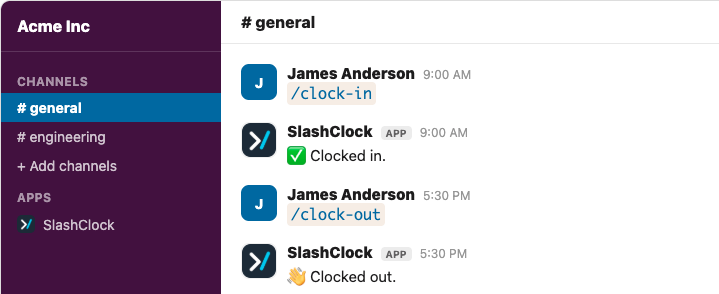
Type either command in any channel where the bot's present, or straight into its DM.
Slack's own autocomplete will show you both as soon as you type "/".
⑥ Check the dashboard for clock-in, clock-out, and hours worked
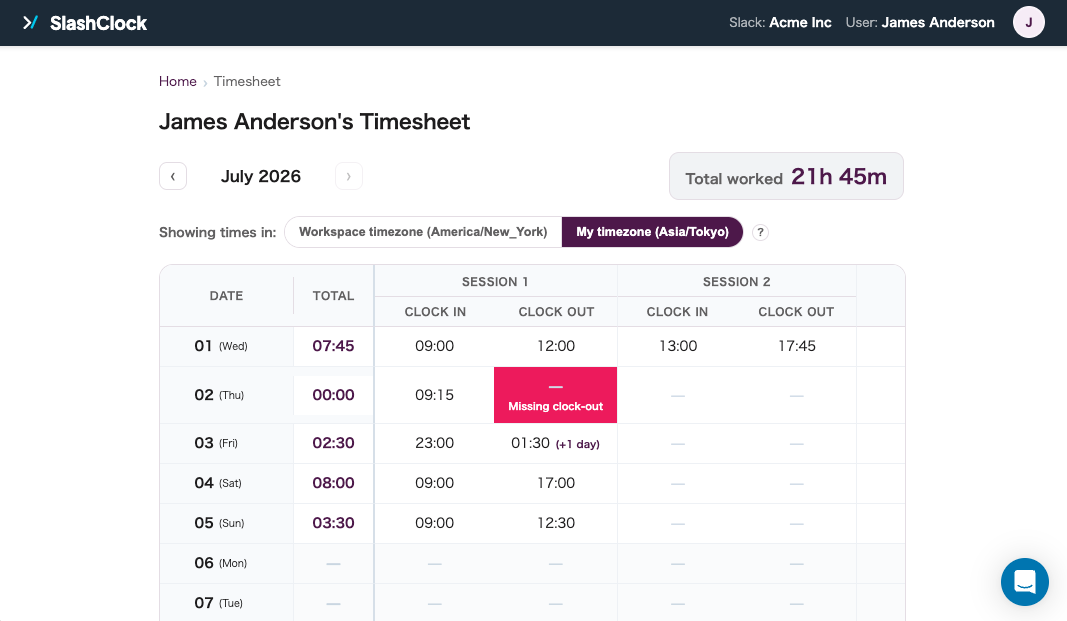
Clock-in time, clock-out time, and hours worked are all calculated the moment someone clocks out.
Daily and monthly totals are calculated automatically.
⑦ Fix mistakes directly on the dashboard
Forgot to clock out, or clocked in twice by accident? An admin corrects the entry directly on the dashboard.
Every edit is logged with its before and after values.
⑧ What admin accounts can do
Anyone with admin permissions has access to the following, all from the dashboard.
- Add members, or deactivate the ones who've left
- Pull up any individual member's full attendance history
- Correct clock-in and clock-out entries
- See and resolve flagged errors before they pile up
⑨ Missed clock-outs and bad timestamps get flagged automatically
A missed clock-out or an out-of-order timestamp is flagged directly on the dashboard as soon as it's detected, ready to fix.